Expanding Hero: Studio Reel
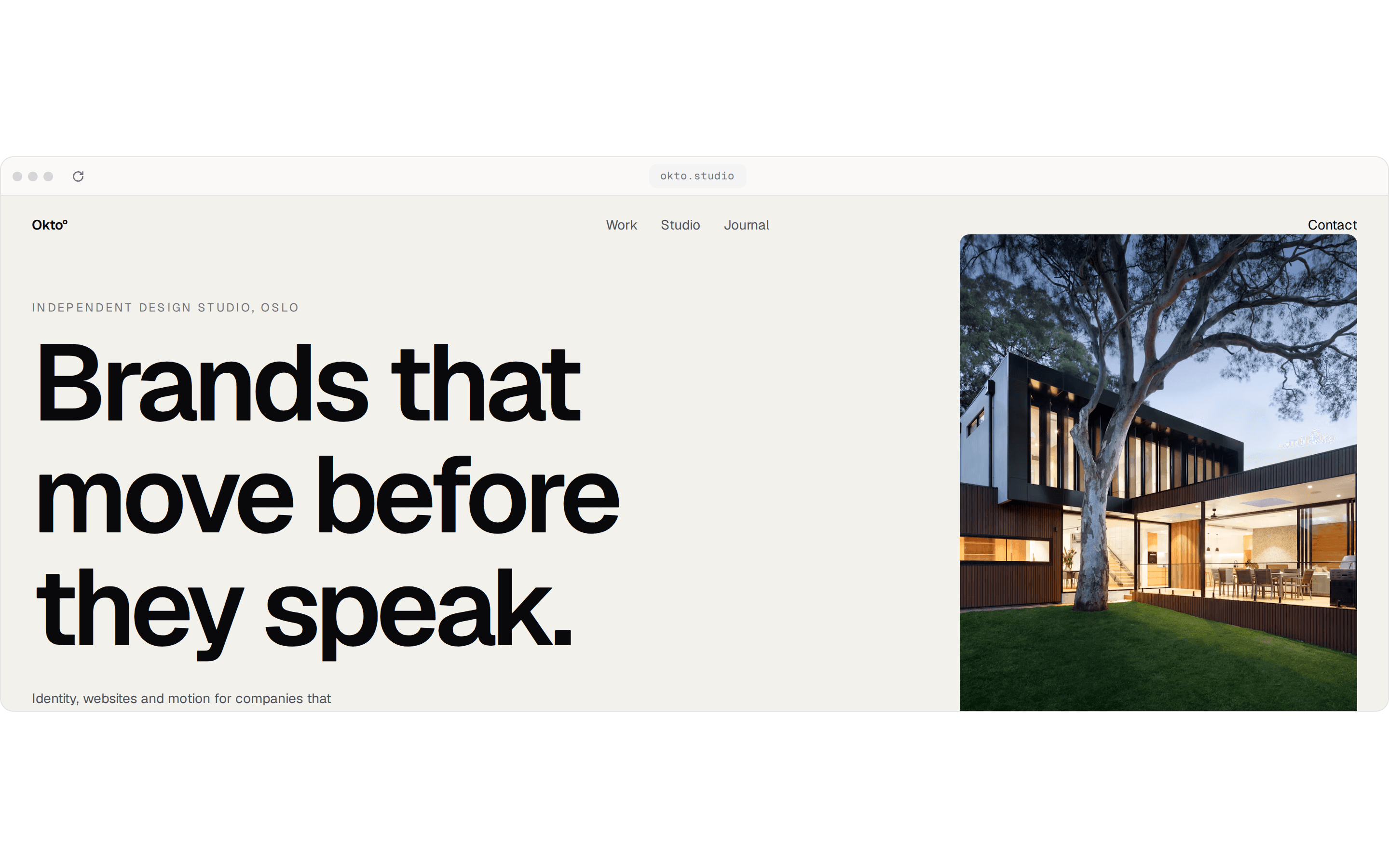
A motion studio's showreel opens out of the headline. Once it fills the box, a button plays the film full screen.
@keyframeui
A motion studio's showreel opens out of the headline. Once it fills the box, a button plays the film full screen.
@keyframeui
registry/demos/expanding-hero-demo.tsx
"use client";

import * as React from "react";

import { ExpandingHero } from "@/components/ui/expanding-hero";

const reel = "https://assets.mixkit.co/videos/44818/44818-720.mp4";
const poster = "https://assets.mixkit.co/videos/44818/44818-thumb-720-0.jpg";

const work = [
  { client: "Lumen", kind: "Brand film", year: 2026 },
  { client: "Parcel", kind: "Product launch", year: 2025 },
  { client: "Halcyon", kind: "Title sequence", year: 2025 },
  { client: "Fieldnote", kind: "Explainer series", year: 2024 },
];

// For a full-page hero, drop the scroll box, `containerRef` and
// `stageClassName`: the stage fills the window and pins while the page scrolls.
export function ExpandingHeroDemo() {
  const scrollRef = React.useRef<HTMLDivElement>(null);
  const reelRef = React.useRef<HTMLVideoElement>(null);

  return (
    <div className="relative w-full overflow-hidden rounded-xl border border-zinc-200 bg-[#f4f3ef] text-zinc-950 dark:border-zinc-800 dark:bg-zinc-950 dark:text-zinc-50">
      <div ref={scrollRef} className="relative h-[var(--demo-height,36rem)] overflow-y-auto overscroll-contain">
        <ExpandingHero
          containerRef={scrollRef}
          stageClassName="h-[var(--demo-height,36rem)]"
          before="Make things"
          after="that move"
          media={
            <video
              ref={reelRef}
              src={reel}
              poster={poster}
              autoPlay
              muted
              loop
              playsInline
              className="dark:invert"
            />
          }
          overlay={
            <button
              type="button"
              onClick={() => watch(reelRef.current)}
              className="flex items-center gap-3 rounded-full bg-white/85 py-2 pr-5 pl-2 text-sm font-medium shadow-lg ring-1 shadow-black/10 ring-black/5 backdrop-blur-md transition-transform duration-150 ease-out active:scale-[0.97] dark:bg-zinc-900/80 dark:ring-white/10"
            >
              <span className="grid size-8 place-items-center rounded-full bg-zinc-950 text-white dark:bg-white dark:text-zinc-950">
                <PlayIcon />
              </span>
              Watch the film
            </button>
          }
        >
          <p className="text-base text-zinc-600 sm:text-lg dark:text-zinc-400">
            A studio for motion design
          </p>
          <a
            href="#contact"
            className="rounded-full bg-zinc-950 px-5 py-2.5 text-sm font-medium text-white transition-[background-color,scale] duration-150 ease-out hover:bg-zinc-800 active:scale-[0.97] dark:bg-white dark:text-zinc-950 dark:hover:bg-zinc-200"
          >
            Get in touch
          </a>
        </ExpandingHero>

        <section className="mx-auto max-w-3xl px-6 py-16 sm:py-24">
          <div className="flex items-baseline justify-between text-sm text-zinc-500">
            <h2 className="font-medium text-zinc-950 dark:text-zinc-50">Selected work</h2>
            <span className="tabular-nums">2024–2026</span>
          </div>
          <ul className="mt-6 border-t border-zinc-950/10 dark:border-white/10">
            {work.map((item) => (
              <li
                key={item.client}
                className="grid grid-cols-[1fr_auto] items-baseline gap-x-6 border-b border-zinc-950/10 py-4 sm:grid-cols-[1fr_1fr_auto] dark:border-white/10"
              >
                <span className="text-lg font-medium tracking-tight sm:text-xl">{item.client}</span>
                <span className="hidden text-sm text-zinc-500 sm:block">{item.kind}</span>
                <span className="text-sm text-zinc-500 tabular-nums">{item.year}</span>
              </li>
            ))}
          </ul>
        </section>
      </div>
    </div>
  );
}

/** Plays the reel from the top, full screen. */
function watch(video: HTMLVideoElement | null) {
  if (!video) return;
  video.currentTime = 0;
  void video.play();
  if (video.requestFullscreen) void video.requestFullscreen();
  else (video as HTMLVideoElement & { webkitEnterFullscreen?: () => void }).webkitEnterFullscreen?.();
}

function PlayIcon() {
  return (
    <svg viewBox="0 0 16 16" aria-hidden className="ml-0.5 size-3 fill-current">
      <path d="M4 2.6v10.8a.6.6 0 0 0 .9.5l8.6-5.4a.6.6 0 0 0 0-1L4.9 2.1a.6.6 0 0 0-.9.5Z" />
    </svg>
  );
}
Live preview, examples and props: https://keyframeui.com/components/expanding-hero#expanding-hero-demo