Dashboard 01
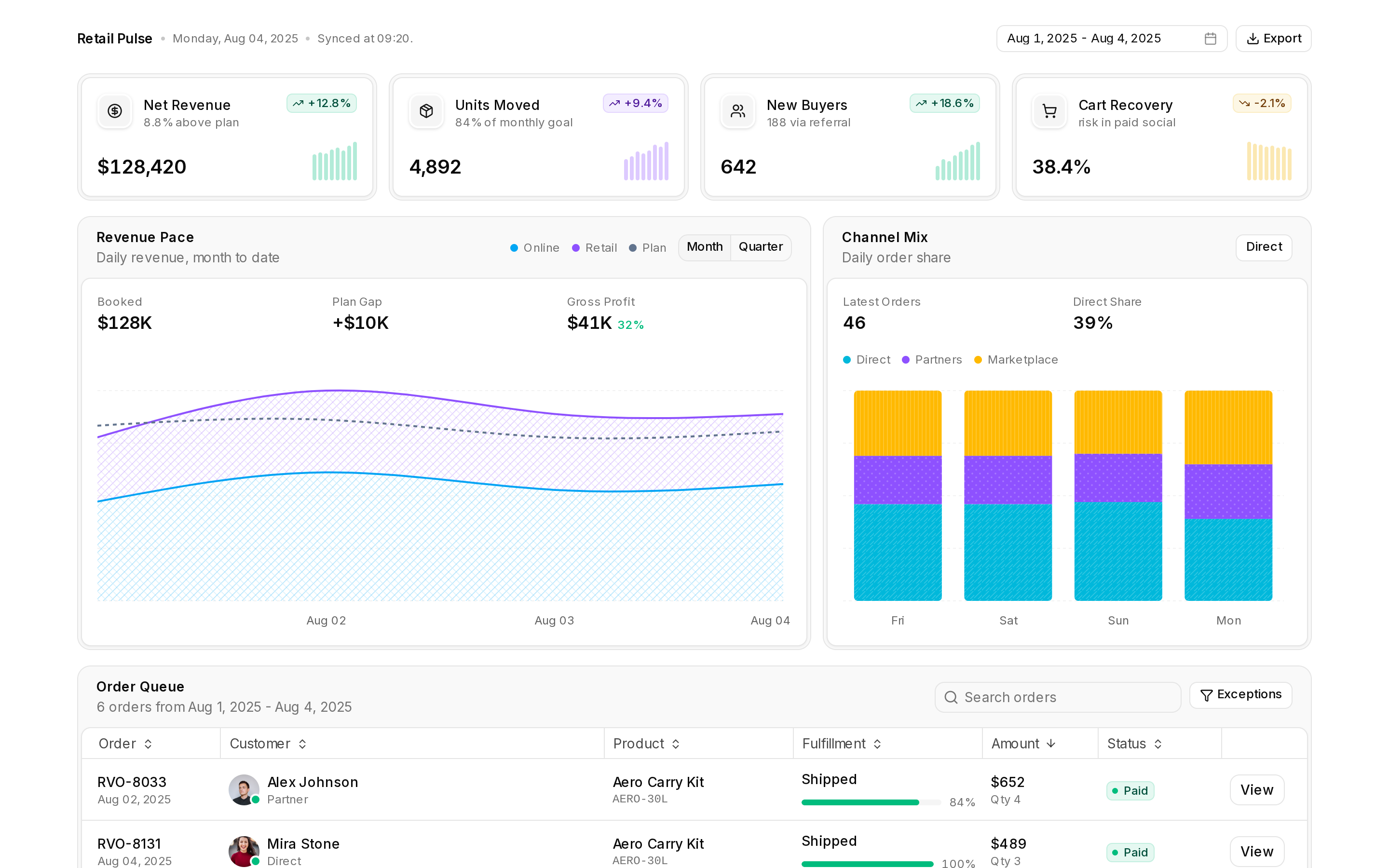
A dashboard with a sidebar, summary cards, an interactive area chart and a sortable data table.
A dashboard with a sidebar, summary cards, an interactive area chart and a sortable data table.
registry/tealmac/dashboard-01.tsx
/**
* Dashboard 01 - adapted for tealmac UI from the shadcn/ui block "dashboard-01"
* (https://github.com/shadcn-ui/ui), MIT License, Copyright (c) 2023 shadcn.
* The full licence text is in THIRD_PARTY_NOTICES.md. Changes: tealmac UI
* import paths, one self-contained file, neutral demo content and no
* third-party assets.
*/
"use client"
import * as React from "react"
import {
IconCamera,
IconChartBar,
IconChevronDown,
IconChevronLeft,
IconChevronRight,
IconChevronsLeft,
IconChevronsRight,
IconCircleCheckFilled,
IconCirclePlusFilled,
IconCreditCard,
IconDashboard,
IconDatabase,
IconDots,
IconDotsVertical,
IconFileAi,
IconFileDescription,
IconFileWord,
IconFolder,
IconHelp,
IconInnerShadowTop,
IconLayoutColumns,
IconListDetails,
IconLoader,
IconLogout,
IconMail,
IconNotification,
IconPlus,
IconReport,
IconSearch,
IconSettings,
IconShare3,
IconTrash,
IconTrendingDown,
IconTrendingUp,
IconUserCircle,
IconUsers,
type Icon,
} from "@tabler/icons-react"
import {
columnFilteringFeature,
columnVisibilityFeature,
createColumnHelper,
createFilteredRowModel,
createPaginatedRowModel,
createSortedRowModel,
FlexRender,
rowPaginationFeature,
rowSelectionFeature,
rowSortingFeature,
tableFeatures,
useTable,
type ColumnFiltersState,
type ColumnVisibilityState,
type Row,
type SortingState,
} from "@tanstack/react-table"
import { Area, AreaChart, CartesianGrid, XAxis } from "recharts"
import { toast } from "sonner"
import { z } from "zod"
import { useIsMobile } from "@/hooks/use-mobile"
import { Avatar, AvatarFallback, AvatarImage } from "@/components/ui/avatar"
import { Badge } from "@/components/ui/badge"
import { Button } from "@/components/ui/button"
import {
Card,
CardAction,
CardContent,
CardDescription,
CardFooter,
CardHeader,
CardTitle,
} from "@/components/ui/card"
import {
ChartContainer,
ChartTooltip,
ChartTooltipContent,
type ChartConfig,
} from "@/components/ui/chart"
import { Checkbox } from "@/components/ui/checkbox"
import {
Drawer,
DrawerClose,
DrawerContent,
DrawerDescription,
DrawerFooter,
DrawerHeader,
DrawerTitle,
DrawerTrigger,
} from "@/components/ui/drawer"
import {
DropdownMenu,
DropdownMenuCheckboxItem,
DropdownMenuContent,
DropdownMenuGroup,
DropdownMenuItem,
DropdownMenuLabel,
DropdownMenuSeparator,
DropdownMenuTrigger,
} from "@/components/ui/dropdown-menu"
import { Input } from "@/components/ui/input"
import { Label } from "@/components/ui/label"
import {
Select,
SelectContent,
SelectItem,
SelectTrigger,
SelectValue,
} from "@/components/ui/select"
import { Separator } from "@/components/ui/separator"
import {
Sidebar,
SidebarContent,
SidebarFooter,
SidebarGroup,
SidebarGroupContent,
SidebarGroupLabel,
SidebarHeader,
SidebarInset,
SidebarMenu,
SidebarMenuAction,
SidebarMenuButton,
SidebarMenuItem,
SidebarProvider,
SidebarTrigger,
useSidebar,
} from "@/components/ui/sidebar"
import {
Table,
TableBody,
TableCell,
TableHead,
TableHeader,
TableRow,
} from "@/components/ui/table"
import { Tabs, TabsContent, TabsList, TabsTrigger } from "@/components/ui/tabs"
import { ToggleGroup, ToggleGroupItem } from "@/components/ui/toggle-group"
export function NavDocuments({
items,
}: {
items: {
name: string
url: string
icon: Icon
}[]
}) {
const { isMobile } = useSidebar()
return (
<SidebarGroup className="group-data-[collapsible=icon]:hidden">
<SidebarGroupLabel>Documents</SidebarGroupLabel>
<SidebarMenu>
{items.map((item) => (
<SidebarMenuItem key={item.name}>
<SidebarMenuButton asChild>
<a href={item.url}>
<item.icon />
<span>{item.name}</span>
</a>
</SidebarMenuButton>
<DropdownMenu>
<DropdownMenuTrigger asChild>
<SidebarMenuAction
showOnHover
className="data-[state=open]:bg-accent rounded-sm"
>
<IconDots />
<span className="sr-only">More</span>
</SidebarMenuAction>
</DropdownMenuTrigger>
<DropdownMenuContent
className="w-24 rounded-lg"
side={isMobile ? "bottom" : "right"}
align={isMobile ? "end" : "start"}
>
<DropdownMenuItem>
<IconFolder />
<span>Open</span>
</DropdownMenuItem>
<DropdownMenuItem>
<IconShare3 />
<span>Share</span>
</DropdownMenuItem>
<DropdownMenuSeparator />
<DropdownMenuItem variant="destructive">
<IconTrash />
<span>Delete</span>
</DropdownMenuItem>
</DropdownMenuContent>
</DropdownMenu>
</SidebarMenuItem>
))}
<SidebarMenuItem>
<SidebarMenuButton className="text-sidebar-foreground/70">
<IconDots className="text-sidebar-foreground/70" />
<span>More</span>
</SidebarMenuButton>
</SidebarMenuItem>
</SidebarMenu>
</SidebarGroup>
)
}
export function NavMain({
items,
}: {
items: {
title: string
url: string
icon?: Icon
}[]
}) {
return (
<SidebarGroup>
<SidebarGroupContent className="flex flex-col gap-2">
<SidebarMenu>
<SidebarMenuItem className="flex items-center gap-2">
<SidebarMenuButton
tooltip="Quick Create"
className="bg-primary text-primary-foreground hover:bg-primary/90 hover:text-primary-foreground active:bg-primary/90 active:text-primary-foreground min-w-8 duration-200 ease-linear"
>
<IconCirclePlusFilled />
<span>Quick Create</span>
</SidebarMenuButton>
<Button
size="icon"
className="size-8 group-data-[collapsible=icon]:opacity-0"
variant="outline"
>
<IconMail />
<span className="sr-only">Inbox</span>
</Button>
</SidebarMenuItem>
</SidebarMenu>
<SidebarMenu>
{items.map((item) => (
<SidebarMenuItem key={item.title}>
<SidebarMenuButton tooltip={item.title}>
{item.icon && <item.icon />}
<span>{item.title}</span>
</SidebarMenuButton>
</SidebarMenuItem>
))}
</SidebarMenu>
</SidebarGroupContent>
</SidebarGroup>
)
}
export function NavSecondary({
items,
...props
}: {
items: {
title: string
url: string
icon: Icon
}[]
} & React.ComponentPropsWithoutRef<typeof SidebarGroup>) {
return (
<SidebarGroup {...props}>
<SidebarGroupContent>
<SidebarMenu>
{items.map((item) => (
<SidebarMenuItem key={item.title}>
<SidebarMenuButton asChild>
<a href={item.url}>
<item.icon />
<span>{item.title}</span>
</a>
</SidebarMenuButton>
</SidebarMenuItem>
))}
</SidebarMenu>
</SidebarGroupContent>
</SidebarGroup>
)
}
export function NavUser({
user,
}: {
user: {
name: string
email: string
avatar: string
}
}) {
const { isMobile } = useSidebar()
return (
<SidebarMenu>
<SidebarMenuItem>
<DropdownMenu>
<DropdownMenuTrigger asChild>
<SidebarMenuButton
size="lg"
className="data-[state=open]:bg-sidebar-accent data-[state=open]:text-sidebar-accent-foreground"
>
<Avatar className="h-8 w-8 rounded-lg grayscale">
<AvatarImage src={user.avatar} alt={user.name} />
<AvatarFallback className="rounded-lg">AM</AvatarFallback>
</Avatar>
<div className="grid flex-1 text-left text-sm leading-tight">
<span className="truncate font-medium">{user.name}</span>
<span className="text-muted-foreground truncate text-xs">
{user.email}
</span>
</div>
<IconDotsVertical className="ml-auto size-4" />
</SidebarMenuButton>
</DropdownMenuTrigger>
<DropdownMenuContent
className="w-(--radix-dropdown-menu-trigger-width) min-w-56 rounded-lg"
side={isMobile ? "bottom" : "right"}
align="end"
sideOffset={4}
>
<DropdownMenuLabel className="p-0 font-normal">
<div className="flex items-center gap-2 px-1 py-1.5 text-left text-sm">
<Avatar className="h-8 w-8 rounded-lg">
<AvatarImage src={user.avatar} alt={user.name} />
<AvatarFallback className="rounded-lg">AM</AvatarFallback>
</Avatar>
<div className="grid flex-1 text-left text-sm leading-tight">
<span className="truncate font-medium">{user.name}</span>
<span className="text-muted-foreground truncate text-xs">
{user.email}
</span>
</div>
</div>
</DropdownMenuLabel>
<DropdownMenuSeparator />
<DropdownMenuGroup>
<DropdownMenuItem>
<IconUserCircle />
Account
</DropdownMenuItem>
<DropdownMenuItem>
<IconCreditCard />
Billing
</DropdownMenuItem>
<DropdownMenuItem>
<IconNotification />
Notifications
</DropdownMenuItem>
</DropdownMenuGroup>
<DropdownMenuSeparator />
<DropdownMenuItem>
<IconLogout />
Log out
</DropdownMenuItem>
</DropdownMenuContent>
</DropdownMenu>
</SidebarMenuItem>
</SidebarMenu>
)
}
const data = {
user: {
name: "Alex Morgan",
email: "m@example.com",
avatar: "",
},
navMain: [
{
title: "Dashboard",
url: "#",
icon: IconDashboard,
},
{
title: "Lifecycle",
url: "#",
icon: IconListDetails,
},
{
title: "Analytics",
url: "#",
icon: IconChartBar,
},
{
title: "Projects",
url: "#",
icon: IconFolder,
},
{
title: "Team",
url: "#",
icon: IconUsers,
},
],
navClouds: [
{
title: "Capture",
icon: IconCamera,
isActive: true,
url: "#",
items: [
{
title: "Active Proposals",
url: "#",
},
{
title: "Archived",
url: "#",
},
],
},
{
title: "Proposal",
icon: IconFileDescription,
url: "#",
items: [
{
title: "Active Proposals",
url: "#",
},
{
title: "Archived",
url: "#",
},
],
},
{
title: "Prompts",
icon: IconFileAi,
url: "#",
items: [
{
title: "Active Proposals",
url: "#",
},
{
title: "Archived",
url: "#",
},
],
},
],
navSecondary: [
{
title: "Settings",
url: "#",
icon: IconSettings,
},
{
title: "Get Help",
url: "#",
icon: IconHelp,
},
{
title: "Search",
url: "#",
icon: IconSearch,
},
],
documents: [
{
name: "Data Library",
url: "#",
icon: IconDatabase,
},
{
name: "Reports",
url: "#",
icon: IconReport,
},
{
name: "Word Assistant",
url: "#",
icon: IconFileWord,
},
],
}
export function AppSidebar({ ...props }: React.ComponentProps<typeof Sidebar>) {
return (
<Sidebar collapsible="offcanvas" {...props}>
<SidebarHeader>
<SidebarMenu>
<SidebarMenuItem>
<SidebarMenuButton
asChild
className="data-[slot=sidebar-menu-button]:p-1.5!"
>
<a href="#your-company">
<IconInnerShadowTop className="size-5!" />
<span className="text-base font-semibold">Your Company</span>
</a>
</SidebarMenuButton>
</SidebarMenuItem>
</SidebarMenu>
</SidebarHeader>
<SidebarContent>
<NavMain items={data.navMain} />
<NavDocuments items={data.documents} />
<NavSecondary items={data.navSecondary} className="mt-auto" />
</SidebarContent>
<SidebarFooter>
<NavUser user={data.user} />
</SidebarFooter>
</Sidebar>
)
}
const chartDataChartAreaInteractive = [
{ date: "2024-04-01", desktop: 222, mobile: 150 },
{ date: "2024-04-02", desktop: 97, mobile: 180 },
{ date: "2024-04-03", desktop: 167, mobile: 120 },
{ date: "2024-04-04", desktop: 242, mobile: 260 },
{ date: "2024-04-05", desktop: 373, mobile: 290 },
{ date: "2024-04-06", desktop: 301, mobile: 340 },
{ date: "2024-04-07", desktop: 245, mobile: 180 },
{ date: "2024-04-08", desktop: 409, mobile: 320 },
{ date: "2024-04-09", desktop: 59, mobile: 110 },
{ date: "2024-04-10", desktop: 261, mobile: 190 },
{ date: "2024-04-11", desktop: 327, mobile: 350 },
{ date: "2024-04-12", desktop: 292, mobile: 210 },
{ date: "2024-04-13", desktop: 342, mobile: 380 },
{ date: "2024-04-14", desktop: 137, mobile: 220 },
{ date: "2024-04-15", desktop: 120, mobile: 170 },
{ date: "2024-04-16", desktop: 138, mobile: 190 },
{ date: "2024-04-17", desktop: 446, mobile: 360 },
{ date: "2024-04-18", desktop: 364, mobile: 410 },
{ date: "2024-04-19", desktop: 243, mobile: 180 },
{ date: "2024-04-20", desktop: 89, mobile: 150 },
{ date: "2024-04-21", desktop: 137, mobile: 200 },
{ date: "2024-04-22", desktop: 224, mobile: 170 },
{ date: "2024-04-23", desktop: 138, mobile: 230 },
{ date: "2024-04-24", desktop: 387, mobile: 290 },
{ date: "2024-04-25", desktop: 215, mobile: 250 },
{ date: "2024-04-26", desktop: 75, mobile: 130 },
{ date: "2024-04-27", desktop: 383, mobile: 420 },
{ date: "2024-04-28", desktop: 122, mobile: 180 },
{ date: "2024-04-29", desktop: 315, mobile: 240 },
{ date: "2024-04-30", desktop: 454, mobile: 380 },
{ date: "2024-05-01", desktop: 165, mobile: 220 },
{ date: "2024-05-02", desktop: 293, mobile: 310 },
{ date: "2024-05-03", desktop: 247, mobile: 190 },
{ date: "2024-05-04", desktop: 385, mobile: 420 },
{ date: "2024-05-05", desktop: 481, mobile: 390 },
{ date: "2024-05-06", desktop: 498, mobile: 520 },
{ date: "2024-05-07", desktop: 388, mobile: 300 },
{ date: "2024-05-08", desktop: 149, mobile: 210 },
{ date: "2024-05-09", desktop: 227, mobile: 180 },
{ date: "2024-05-10", desktop: 293, mobile: 330 },
{ date: "2024-05-11", desktop: 335, mobile: 270 },
{ date: "2024-05-12", desktop: 197, mobile: 240 },
{ date: "2024-05-13", desktop: 197, mobile: 160 },
{ date: "2024-05-14", desktop: 448, mobile: 490 },
{ date: "2024-05-15", desktop: 473, mobile: 380 },
{ date: "2024-05-16", desktop: 338, mobile: 400 },
{ date: "2024-05-17", desktop: 499, mobile: 420 },
{ date: "2024-05-18", desktop: 315, mobile: 350 },
{ date: "2024-05-19", desktop: 235, mobile: 180 },
{ date: "2024-05-20", desktop: 177, mobile: 230 },
{ date: "2024-05-21", desktop: 82, mobile: 140 },
{ date: "2024-05-22", desktop: 81, mobile: 120 },
{ date: "2024-05-23", desktop: 252, mobile: 290 },
{ date: "2024-05-24", desktop: 294, mobile: 220 },
{ date: "2024-05-25", desktop: 201, mobile: 250 },
{ date: "2024-05-26", desktop: 213, mobile: 170 },
{ date: "2024-05-27", desktop: 420, mobile: 460 },
{ date: "2024-05-28", desktop: 233, mobile: 190 },
{ date: "2024-05-29", desktop: 78, mobile: 130 },
{ date: "2024-05-30", desktop: 340, mobile: 280 },
{ date: "2024-05-31", desktop: 178, mobile: 230 },
{ date: "2024-06-01", desktop: 178, mobile: 200 },
{ date: "2024-06-02", desktop: 470, mobile: 410 },
{ date: "2024-06-03", desktop: 103, mobile: 160 },
{ date: "2024-06-04", desktop: 439, mobile: 380 },
{ date: "2024-06-05", desktop: 88, mobile: 140 },
{ date: "2024-06-06", desktop: 294, mobile: 250 },
{ date: "2024-06-07", desktop: 323, mobile: 370 },
{ date: "2024-06-08", desktop: 385, mobile: 320 },
{ date: "2024-06-09", desktop: 438, mobile: 480 },
{ date: "2024-06-10", desktop: 155, mobile: 200 },
{ date: "2024-06-11", desktop: 92, mobile: 150 },
{ date: "2024-06-12", desktop: 492, mobile: 420 },
{ date: "2024-06-13", desktop: 81, mobile: 130 },
{ date: "2024-06-14", desktop: 426, mobile: 380 },
{ date: "2024-06-15", desktop: 307, mobile: 350 },
{ date: "2024-06-16", desktop: 371, mobile: 310 },
{ date: "2024-06-17", desktop: 475, mobile: 520 },
{ date: "2024-06-18", desktop: 107, mobile: 170 },
{ date: "2024-06-19", desktop: 341, mobile: 290 },
{ date: "2024-06-20", desktop: 408, mobile: 450 },
{ date: "2024-06-21", desktop: 169, mobile: 210 },
{ date: "2024-06-22", desktop: 317, mobile: 270 },
{ date: "2024-06-23", desktop: 480, mobile: 530 },
{ date: "2024-06-24", desktop: 132, mobile: 180 },
{ date: "2024-06-25", desktop: 141, mobile: 190 },
{ date: "2024-06-26", desktop: 434, mobile: 380 },
{ date: "2024-06-27", desktop: 448, mobile: 490 },
{ date: "2024-06-28", desktop: 149, mobile: 200 },
{ date: "2024-06-29", desktop: 103, mobile: 160 },
{ date: "2024-06-30", desktop: 446, mobile: 400 },
]
const chartConfigChartAreaInteractive = {
visitors: {
label: "Visitors",
},
desktop: {
label: "Desktop",
color: "var(--primary)",
},
mobile: {
label: "Mobile",
color: "var(--primary)",
},
} satisfies ChartConfig
export function ChartAreaInteractive() {
const isMobile = useIsMobile()
const [timeRange, setTimeRange] = React.useState("90d")
React.useEffect(() => {
if (isMobile) {
setTimeRange("7d")
}
}, [isMobile])
const filteredData = chartDataChartAreaInteractive.filter((item) => {
const date = new Date(item.date)
const referenceDate = new Date("2024-06-30")
let daysToSubtract = 90
if (timeRange === "30d") {
daysToSubtract = 30
} else if (timeRange === "7d") {
daysToSubtract = 7
}
const startDate = new Date(referenceDate)
startDate.setDate(startDate.getDate() - daysToSubtract)
return date >= startDate
})
return (
<Card className="@container/card">
<CardHeader>
<CardTitle>Total Visitors</CardTitle>
<CardDescription>
<span className="hidden @[540px]/card:block">
Total for the last 3 months
</span>
<span className="@[540px]/card:hidden">Last 3 months</span>
</CardDescription>
<CardAction>
<ToggleGroup
type="single"
value={timeRange}
onValueChange={setTimeRange}
variant="outline"
className="hidden *:data-[slot=toggle-group-item]:px-4! @[767px]/card:flex"
>
<ToggleGroupItem value="90d">Last 3 months</ToggleGroupItem>
<ToggleGroupItem value="30d">Last 30 days</ToggleGroupItem>
<ToggleGroupItem value="7d">Last 7 days</ToggleGroupItem>
</ToggleGroup>
<Select value={timeRange} onValueChange={setTimeRange}>
<SelectTrigger
className="flex w-40 **:data-[slot=select-value]:block **:data-[slot=select-value]:truncate @[767px]/card:hidden"
size="sm"
aria-label="Select a value"
>
<SelectValue placeholder="Last 3 months" />
</SelectTrigger>
<SelectContent className="rounded-xl">
<SelectItem value="90d" className="rounded-lg">
Last 3 months
</SelectItem>
<SelectItem value="30d" className="rounded-lg">
Last 30 days
</SelectItem>
<SelectItem value="7d" className="rounded-lg">
Last 7 days
</SelectItem>
</SelectContent>
</Select>
</CardAction>
</CardHeader>
<CardContent className="px-2 pt-4 sm:px-6 sm:pt-6">
<ChartContainer
config={chartConfigChartAreaInteractive}
className="aspect-auto h-[250px] w-full"
>
<AreaChart data={filteredData}>
<defs>
<linearGradient id="fillDesktop" x1="0" y1="0" x2="0" y2="1">
<stop
offset="5%"
stopColor="var(--color-desktop)"
stopOpacity={1.0}
/>
<stop
offset="95%"
stopColor="var(--color-desktop)"
stopOpacity={0.1}
/>
</linearGradient>
<linearGradient id="fillMobile" x1="0" y1="0" x2="0" y2="1">
<stop
offset="5%"
stopColor="var(--color-mobile)"
stopOpacity={0.8}
/>
<stop
offset="95%"
stopColor="var(--color-mobile)"
stopOpacity={0.1}
/>
</linearGradient>
</defs>
<CartesianGrid vertical={false} />
<XAxis
dataKey="date"
tickLine={false}
axisLine={false}
tickMargin={8}
minTickGap={32}
tickFormatter={(value) => {
const date = new Date(value)
return date.toLocaleDateString("en-US", {
month: "short",
day: "numeric",
})
}}
/>
<ChartTooltip
cursor={false}
content={
<ChartTooltipContent
labelFormatter={(value) => {
return new Date(value as string).toLocaleDateString(
"en-US",
{
month: "short",
day: "numeric",
}
)
}}
indicator="dot"
/>
}
/>
<Area
dataKey="mobile"
type="natural"
fill="url(#fillMobile)"
stroke="var(--color-mobile)"
stackId="a"
/>
<Area
dataKey="desktop"
type="natural"
fill="url(#fillDesktop)"
stroke="var(--color-desktop)"
stackId="a"
/>
</AreaChart>
</ChartContainer>
</CardContent>
</Card>
)
}
// New in v9: declare the features this table uses — anything you don't
// register is tree-shaken out of the bundle.
const features = tableFeatures({
columnFilteringFeature,
columnVisibilityFeature,
rowPaginationFeature,
rowSelectionFeature,
rowSortingFeature,
filteredRowModel: createFilteredRowModel(),
paginatedRowModel: createPaginatedRowModel(),
sortedRowModel: createSortedRowModel(),
})
const columnHelper = createColumnHelper<
typeof features,
z.infer<typeof schema>
>()
export const schema = z.object({
id: z.number(),
header: z.string(),
type: z.string(),
status: z.string(),
target: z.string(),
limit: z.string(),
reviewer: z.string(),
})
const columns = columnHelper.columns([
columnHelper.display({
id: "select",
header: ({ table }) => (
<div className="flex items-center justify-center">
<Checkbox
checked={
table.getIsAllPageRowsSelected() ||
(table.getIsSomePageRowsSelected() && "indeterminate")
}
onCheckedChange={(value) => table.toggleAllPageRowsSelected(!!value)}
aria-label="Select all"
/>
</div>
),
cell: ({ row }) => (
<div className="flex items-center justify-center">
<Checkbox
checked={row.getIsSelected()}
onCheckedChange={(value) => row.toggleSelected(!!value)}
aria-label="Select row"
/>
</div>
),
enableSorting: false,
enableHiding: false,
}),
columnHelper.accessor("header", {
header: "Header",
cell: ({ row }) => {
return <TableCellViewer item={row.original} />
},
enableHiding: false,
}),
columnHelper.accessor("type", {
header: "Section Type",
cell: ({ row }) => (
<div className="w-32">
<Badge variant="outline" className="text-muted-foreground px-1.5">
{row.original.type}
</Badge>
</div>
),
}),
columnHelper.accessor("status", {
header: "Status",
cell: ({ row }) => (
<Badge variant="outline" className="text-muted-foreground px-1.5">
{row.original.status === "Done" ? (
<IconCircleCheckFilled className="fill-green-500 dark:fill-green-400" />
) : (
<IconLoader />
)}
{row.original.status}
</Badge>
),
}),
columnHelper.accessor("target", {
header: () => <div className="w-full text-right">Target</div>,
cell: ({ row }) => (
<form
onSubmit={(e) => {
e.preventDefault()
toast.promise(new Promise((resolve) => setTimeout(resolve, 1000)), {
loading: `Saving ${row.original.header}`,
success: "Done",
error: "Error",
})
}}
>
<Label htmlFor={`${row.original.id}-target`} className="sr-only">
Target
</Label>
<Input
className="hover:bg-input/30 focus-visible:bg-background dark:hover:bg-input/30 dark:focus-visible:bg-input/30 h-8 w-16 border-transparent bg-transparent text-right shadow-none focus-visible:border dark:bg-transparent"
defaultValue={row.original.target}
id={`${row.original.id}-target`}
/>
</form>
),
}),
columnHelper.accessor("limit", {
header: () => <div className="w-full text-right">Limit</div>,
cell: ({ row }) => (
<form
onSubmit={(e) => {
e.preventDefault()
toast.promise(new Promise((resolve) => setTimeout(resolve, 1000)), {
loading: `Saving ${row.original.header}`,
success: "Done",
error: "Error",
})
}}
>
<Label htmlFor={`${row.original.id}-limit`} className="sr-only">
Limit
</Label>
<Input
className="hover:bg-input/30 focus-visible:bg-background dark:hover:bg-input/30 dark:focus-visible:bg-input/30 h-8 w-16 border-transparent bg-transparent text-right shadow-none focus-visible:border dark:bg-transparent"
defaultValue={row.original.limit}
id={`${row.original.id}-limit`}
/>
</form>
),
}),
columnHelper.accessor("reviewer", {
header: "Reviewer",
cell: ({ row }) => {
const isAssigned = row.original.reviewer !== "Assign reviewer"
if (isAssigned) {
return row.original.reviewer
}
return (
<>
<Label htmlFor={`${row.original.id}-reviewer`} className="sr-only">
Reviewer
</Label>
<Select>
<SelectTrigger
className="w-38 **:data-[slot=select-value]:block **:data-[slot=select-value]:truncate"
size="sm"
id={`${row.original.id}-reviewer`}
>
<SelectValue placeholder="Assign reviewer" />
</SelectTrigger>
<SelectContent align="end">
<SelectItem value="Maya Okafor">Maya Okafor</SelectItem>
<SelectItem value="Jonas Lindqvist">Jonas Lindqvist</SelectItem>
</SelectContent>
</Select>
</>
)
},
}),
columnHelper.display({
id: "actions",
cell: () => (
<DropdownMenu>
<DropdownMenuTrigger asChild>
<Button
variant="ghost"
className="text-muted-foreground data-[state=open]:bg-muted flex size-8"
size="icon"
>
<IconDotsVertical />
<span className="sr-only">Open menu</span>
</Button>
</DropdownMenuTrigger>
<DropdownMenuContent align="end" className="w-32">
<DropdownMenuItem>Edit</DropdownMenuItem>
<DropdownMenuItem>Make a copy</DropdownMenuItem>
<DropdownMenuItem>Favorite</DropdownMenuItem>
<DropdownMenuSeparator />
<DropdownMenuItem variant="destructive">Delete</DropdownMenuItem>
</DropdownMenuContent>
</DropdownMenu>
),
}),
])
function DataRow({
row,
}: {
row: Row<typeof features, z.infer<typeof schema>>
}) {
return (
<TableRow data-state={row.getIsSelected() && "selected"}>
{row.getVisibleCells().map((cell) => (
<TableCell key={cell.id}>
<FlexRender cell={cell} />
</TableCell>
))}
</TableRow>
)
}
export function DataTable({
data: initialData,
}: {
data: z.infer<typeof schema>[]
}) {
const [data] = React.useState(() => initialData)
const [rowSelection, setRowSelection] = React.useState({})
const [columnVisibility, setColumnVisibility] =
React.useState<ColumnVisibilityState>({})
const [columnFilters, setColumnFilters] = React.useState<ColumnFiltersState>(
[]
)
const [sorting, setSorting] = React.useState<SortingState>([])
const [pagination, setPagination] = React.useState({
pageIndex: 0,
pageSize: 10,
})
const table = useTable({
features,
data,
columns,
state: {
sorting,
columnVisibility,
rowSelection,
columnFilters,
pagination,
},
getRowId: (row) => row.id.toString(),
enableRowSelection: true,
onRowSelectionChange: setRowSelection,
onSortingChange: setSorting,
onColumnFiltersChange: setColumnFilters,
onColumnVisibilityChange: setColumnVisibility,
onPaginationChange: setPagination,
})
return (
<Tabs
defaultValue="outline"
className="w-full flex-col justify-start gap-6"
>
<div className="flex items-center justify-between px-4 lg:px-6">
<Label htmlFor="view-selector" className="sr-only">
View
</Label>
<Select defaultValue="outline">
<SelectTrigger
className="flex w-fit @4xl/main:hidden"
size="sm"
id="view-selector"
>
<SelectValue placeholder="Select a view" />
</SelectTrigger>
<SelectContent>
<SelectItem value="outline">Outline</SelectItem>
<SelectItem value="past-performance">Past Performance</SelectItem>
<SelectItem value="key-personnel">Key Personnel</SelectItem>
<SelectItem value="focus-documents">Focus Documents</SelectItem>
</SelectContent>
</Select>
<TabsList className="**:data-[slot=badge]:bg-muted-foreground/30 hidden **:data-[slot=badge]:size-5 **:data-[slot=badge]:rounded-full **:data-[slot=badge]:px-1 @4xl/main:flex">
<TabsTrigger value="outline">Outline</TabsTrigger>
<TabsTrigger value="past-performance">
Past Performance <Badge variant="secondary">3</Badge>
</TabsTrigger>
<TabsTrigger value="key-personnel">
Key Personnel <Badge variant="secondary">2</Badge>
</TabsTrigger>
<TabsTrigger value="focus-documents">Focus Documents</TabsTrigger>
</TabsList>
<div className="flex items-center gap-2">
<DropdownMenu>
<DropdownMenuTrigger asChild>
<Button variant="outline" size="sm">
<IconLayoutColumns />
<span className="hidden lg:inline">Customize Columns</span>
<span className="lg:hidden">Columns</span>
<IconChevronDown />
</Button>
</DropdownMenuTrigger>
<DropdownMenuContent align="end" className="w-56">
{table
.getAllColumns()
.filter(
(column) =>
typeof column.accessorFn !== "undefined" &&
column.getCanHide()
)
.map((column) => {
return (
<DropdownMenuCheckboxItem
key={column.id}
className="capitalize"
checked={column.getIsVisible()}
onCheckedChange={(value) =>
column.toggleVisibility(!!value)
}
>
{column.id}
</DropdownMenuCheckboxItem>
)
})}
</DropdownMenuContent>
</DropdownMenu>
<Button variant="outline" size="sm">
<IconPlus />
<span className="hidden lg:inline">Add Section</span>
</Button>
</div>
</div>
<TabsContent
value="outline"
className="relative flex flex-col gap-4 overflow-auto px-4 lg:px-6"
>
<div className="overflow-hidden rounded-lg border">
<Table>
<TableHeader className="bg-muted sticky top-0 z-10">
{table.getHeaderGroups().map((headerGroup) => (
<TableRow key={headerGroup.id}>
{headerGroup.headers.map((header) => {
return (
<TableHead key={header.id} colSpan={header.colSpan}>
{header.isPlaceholder ? null : (
<FlexRender header={header} />
)}
</TableHead>
)
})}
</TableRow>
))}
</TableHeader>
<TableBody className="**:data-[slot=table-cell]:first:w-8">
{table.getRowModel().rows?.length ? (
table
.getRowModel()
.rows.map((row) => <DataRow key={row.id} row={row} />)
) : (
<TableRow>
<TableCell
colSpan={columns.length}
className="h-24 text-center"
>
No results.
</TableCell>
</TableRow>
)}
</TableBody>
</Table>
</div>
<div className="flex items-center justify-between px-4">
<div className="text-muted-foreground hidden flex-1 text-sm lg:flex">
{table.getFilteredSelectedRowModel().rows.length} of{" "}
{table.getFilteredRowModel().rows.length} row(s) selected.
</div>
<div className="flex w-full items-center gap-8 lg:w-fit">
<div className="hidden items-center gap-2 lg:flex">
<Label htmlFor="rows-per-page" className="text-sm font-medium">
Rows per page
</Label>
<Select
value={`${table.state.pagination.pageSize}`}
onValueChange={(value) => {
table.setPageSize(Number(value))
}}
>
<SelectTrigger size="sm" className="w-20" id="rows-per-page">
<SelectValue placeholder={table.state.pagination.pageSize} />
</SelectTrigger>
<SelectContent side="top">
{[10, 20, 30, 40, 50].map((pageSize) => (
<SelectItem key={pageSize} value={`${pageSize}`}>
{pageSize}
</SelectItem>
))}
</SelectContent>
</Select>
</div>
<div className="flex w-fit items-center justify-center text-sm font-medium">
Page {table.state.pagination.pageIndex + 1} of{" "}
{table.getPageCount()}
</div>
<div className="ml-auto flex items-center gap-2 lg:ml-0">
<Button
variant="outline"
className="hidden h-8 w-8 p-0 lg:flex"
onClick={() => table.setPageIndex(0)}
disabled={!table.getCanPreviousPage()}
>
<span className="sr-only">Go to first page</span>
<IconChevronsLeft />
</Button>
<Button
variant="outline"
className="size-8"
size="icon"
onClick={() => table.previousPage()}
disabled={!table.getCanPreviousPage()}
>
<span className="sr-only">Go to previous page</span>
<IconChevronLeft />
</Button>
<Button
variant="outline"
className="size-8"
size="icon"
onClick={() => table.nextPage()}
disabled={!table.getCanNextPage()}
>
<span className="sr-only">Go to next page</span>
<IconChevronRight />
</Button>
<Button
variant="outline"
className="hidden size-8 lg:flex"
size="icon"
onClick={() => table.setPageIndex(table.getPageCount() - 1)}
disabled={!table.getCanNextPage()}
>
<span className="sr-only">Go to last page</span>
<IconChevronsRight />
</Button>
</div>
</div>
</div>
</TabsContent>
<TabsContent
value="past-performance"
className="flex flex-col px-4 lg:px-6"
>
<div className="aspect-video w-full flex-1 rounded-lg border border-dashed"></div>
</TabsContent>
<TabsContent value="key-personnel" className="flex flex-col px-4 lg:px-6">
<div className="aspect-video w-full flex-1 rounded-lg border border-dashed"></div>
</TabsContent>
<TabsContent
value="focus-documents"
className="flex flex-col px-4 lg:px-6"
>
<div className="aspect-video w-full flex-1 rounded-lg border border-dashed"></div>
</TabsContent>
</Tabs>
)
}
const chartDataDataTable = [
{ month: "January", desktop: 186, mobile: 80 },
{ month: "February", desktop: 305, mobile: 200 },
{ month: "March", desktop: 237, mobile: 120 },
{ month: "April", desktop: 73, mobile: 190 },
{ month: "May", desktop: 209, mobile: 130 },
{ month: "June", desktop: 214, mobile: 140 },
]
const chartConfigDataTable = {
desktop: {
label: "Desktop",
color: "var(--primary)",
},
mobile: {
label: "Mobile",
color: "var(--primary)",
},
} satisfies ChartConfig
function TableCellViewer({ item }: { item: z.infer<typeof schema> }) {
const isMobile = useIsMobile()
return (
<Drawer direction={isMobile ? "bottom" : "right"}>
<DrawerTrigger asChild>
<Button variant="link" className="text-foreground w-fit px-0 text-left">
{item.header}
</Button>
</DrawerTrigger>
<DrawerContent>
<DrawerHeader className="gap-1">
<DrawerTitle>{item.header}</DrawerTitle>
<DrawerDescription>
Showing total visitors for the last 6 months
</DrawerDescription>
</DrawerHeader>
<div className="flex flex-col gap-4 overflow-y-auto px-4 text-sm">
{!isMobile && (
<>
<ChartContainer config={chartConfigDataTable}>
<AreaChart
accessibilityLayer
data={chartDataDataTable}
margin={{
left: 0,
right: 10,
}}
>
<CartesianGrid vertical={false} />
<XAxis
dataKey="month"
tickLine={false}
axisLine={false}
tickMargin={8}
tickFormatter={(value) => value.slice(0, 3)}
hide
/>
<ChartTooltip
cursor={false}
content={<ChartTooltipContent indicator="dot" />}
/>
<Area
dataKey="mobile"
type="natural"
fill="var(--color-mobile)"
fillOpacity={0.6}
stroke="var(--color-mobile)"
stackId="a"
/>
<Area
dataKey="desktop"
type="natural"
fill="var(--color-desktop)"
fillOpacity={0.4}
stroke="var(--color-desktop)"
stackId="a"
/>
</AreaChart>
</ChartContainer>
<Separator />
<div className="grid gap-2">
<div className="flex gap-2 leading-none font-medium">
Trending up by 5.2% this month{" "}
<IconTrendingUp className="size-4" />
</div>
<div className="text-muted-foreground">
Showing total visitors for the last 6 months. This is just
some random text to test the layout. It spans multiple lines
and should wrap around.
</div>
</div>
<Separator />
</>
)}
<form className="flex flex-col gap-4">
<div className="flex flex-col gap-3">
<Label htmlFor="header">Header</Label>
<Input id="header" defaultValue={item.header} />
</div>
<div className="grid grid-cols-2 gap-4">
<div className="flex flex-col gap-3">
<Label htmlFor="type">Type</Label>
<Select defaultValue={item.type}>
<SelectTrigger id="type" className="w-full">
<SelectValue placeholder="Select a type" />
</SelectTrigger>
<SelectContent>
<SelectItem value="Table of Contents">
Table of Contents
</SelectItem>
<SelectItem value="Executive Summary">
Executive Summary
</SelectItem>
<SelectItem value="Technical Approach">
Technical Approach
</SelectItem>
<SelectItem value="Design">Design</SelectItem>
<SelectItem value="Capabilities">Capabilities</SelectItem>
<SelectItem value="Focus Documents">
Focus Documents
</SelectItem>
<SelectItem value="Narrative">Narrative</SelectItem>
<SelectItem value="Cover Page">Cover Page</SelectItem>
</SelectContent>
</Select>
</div>
<div className="flex flex-col gap-3">
<Label htmlFor="status">Status</Label>
<Select defaultValue={item.status}>
<SelectTrigger id="status" className="w-full">
<SelectValue placeholder="Select a status" />
</SelectTrigger>
<SelectContent>
<SelectItem value="Done">Done</SelectItem>
<SelectItem value="In Progress">In Progress</SelectItem>
<SelectItem value="Not Started">Not Started</SelectItem>
</SelectContent>
</Select>
</div>
</div>
<div className="grid grid-cols-2 gap-4">
<div className="flex flex-col gap-3">
<Label htmlFor="target">Target</Label>
<Input id="target" defaultValue={item.target} />
</div>
<div className="flex flex-col gap-3">
<Label htmlFor="limit">Limit</Label>
<Input id="limit" defaultValue={item.limit} />
</div>
</div>
<div className="flex flex-col gap-3">
<Label htmlFor="reviewer">Reviewer</Label>
<Select defaultValue={item.reviewer}>
<SelectTrigger id="reviewer" className="w-full">
<SelectValue placeholder="Select a reviewer" />
</SelectTrigger>
<SelectContent>
<SelectItem value="Maya Okafor">Maya Okafor</SelectItem>
<SelectItem value="Jonas Lindqvist">
Jonas Lindqvist
</SelectItem>
<SelectItem value="Sofia Reyes">Sofia Reyes</SelectItem>
</SelectContent>
</Select>
</div>
</form>
</div>
<DrawerFooter>
<Button>Submit</Button>
<DrawerClose asChild>
<Button variant="outline">Done</Button>
</DrawerClose>
</DrawerFooter>
</DrawerContent>
</Drawer>
)
}
export function SectionCards() {
return (
<div className="*:data-[slot=card]:from-primary/5 *:data-[slot=card]:to-card dark:*:data-[slot=card]:bg-card grid grid-cols-1 gap-4 px-4 *:data-[slot=card]:bg-gradient-to-t *:data-[slot=card]:shadow-xs lg:px-6 @xl/main:grid-cols-2 @5xl/main:grid-cols-4">
<Card className="@container/card">
<CardHeader>
<CardDescription>Total Revenue</CardDescription>
<CardTitle className="text-2xl font-semibold tabular-nums @[250px]/card:text-3xl">
$1,250.00
</CardTitle>
<CardAction>
<Badge variant="outline">
<IconTrendingUp />
+12.5%
</Badge>
</CardAction>
</CardHeader>
<CardFooter className="flex-col items-start gap-1.5 text-sm">
<div className="line-clamp-1 flex gap-2 font-medium">
Trending up this month <IconTrendingUp className="size-4" />
</div>
<div className="text-muted-foreground">
Visitors for the last 6 months
</div>
</CardFooter>
</Card>
<Card className="@container/card">
<CardHeader>
<CardDescription>New Customers</CardDescription>
<CardTitle className="text-2xl font-semibold tabular-nums @[250px]/card:text-3xl">
1,234
</CardTitle>
<CardAction>
<Badge variant="outline">
<IconTrendingDown />
-20%
</Badge>
</CardAction>
</CardHeader>
<CardFooter className="flex-col items-start gap-1.5 text-sm">
<div className="line-clamp-1 flex gap-2 font-medium">
Down 20% this period <IconTrendingDown className="size-4" />
</div>
<div className="text-muted-foreground">
Acquisition needs attention
</div>
</CardFooter>
</Card>
<Card className="@container/card">
<CardHeader>
<CardDescription>Active Accounts</CardDescription>
<CardTitle className="text-2xl font-semibold tabular-nums @[250px]/card:text-3xl">
45,678
</CardTitle>
<CardAction>
<Badge variant="outline">
<IconTrendingUp />
+12.5%
</Badge>
</CardAction>
</CardHeader>
<CardFooter className="flex-col items-start gap-1.5 text-sm">
<div className="line-clamp-1 flex gap-2 font-medium">
Strong user retention <IconTrendingUp className="size-4" />
</div>
<div className="text-muted-foreground">Engagement exceed targets</div>
</CardFooter>
</Card>
<Card className="@container/card">
<CardHeader>
<CardDescription>Growth Rate</CardDescription>
<CardTitle className="text-2xl font-semibold tabular-nums @[250px]/card:text-3xl">
4.5%
</CardTitle>
<CardAction>
<Badge variant="outline">
<IconTrendingUp />
+4.5%
</Badge>
</CardAction>
</CardHeader>
<CardFooter className="flex-col items-start gap-1.5 text-sm">
<div className="line-clamp-1 flex gap-2 font-medium">
Steady performance increase <IconTrendingUp className="size-4" />
</div>
<div className="text-muted-foreground">Meets growth projections</div>
</CardFooter>
</Card>
</div>
)
}
export function SiteHeader() {
return (
<header className="flex h-(--header-height) shrink-0 items-center gap-2 border-b transition-[width,height] ease-linear group-has-data-[collapsible=icon]/sidebar-wrapper:h-(--header-height) motion-reduce:transition-none">
<div className="flex w-full items-center gap-1 px-4 lg:gap-2 lg:px-6">
<SidebarTrigger className="-ml-1" />
<Separator
orientation="vertical"
className="mx-2 data-[orientation=vertical]:h-4"
/>
<h1 className="text-base font-medium">Documents</h1>
</div>
</header>
)
}
const documents: z.infer<typeof schema>[] = [
{
id: 1,
header: "Cover page",
type: "Cover page",
status: "In Process",
target: "18",
limit: "5",
reviewer: "Maya Okafor",
},
{
id: 2,
header: "Table of contents",
type: "Table of contents",
status: "Done",
target: "29",
limit: "24",
reviewer: "Maya Okafor",
},
{
id: 3,
header: "Executive summary",
type: "Narrative",
status: "Done",
target: "10",
limit: "13",
reviewer: "Maya Okafor",
},
{
id: 4,
header: "Technical approach",
type: "Narrative",
status: "Done",
target: "27",
limit: "23",
reviewer: "Jonas Lindqvist",
},
{
id: 5,
header: "Design",
type: "Narrative",
status: "In Process",
target: "2",
limit: "16",
reviewer: "Jonas Lindqvist",
},
{
id: 6,
header: "Capabilities",
type: "Narrative",
status: "In Process",
target: "20",
limit: "8",
reviewer: "Jonas Lindqvist",
},
{
id: 7,
header: "Integration with existing systems",
type: "Narrative",
status: "In Process",
target: "19",
limit: "21",
reviewer: "Jonas Lindqvist",
},
{
id: 8,
header: "Innovation and Advantages",
type: "Narrative",
status: "Done",
target: "25",
limit: "26",
reviewer: "Assign reviewer",
},
{
id: 9,
header: "Overview of EMR's Innovative Solutions",
type: "Technical content",
status: "Done",
target: "7",
limit: "23",
reviewer: "Assign reviewer",
},
{
id: 10,
header: "Advanced Algorithms and Machine Learning",
type: "Narrative",
status: "Done",
target: "30",
limit: "28",
reviewer: "Assign reviewer",
},
{
id: 11,
header: "Adaptive Communication Protocols",
type: "Narrative",
status: "Done",
target: "9",
limit: "31",
reviewer: "Assign reviewer",
},
{
id: 12,
header: "Advantages Over Current Technologies",
type: "Narrative",
status: "Done",
target: "12",
limit: "0",
reviewer: "Assign reviewer",
},
{
id: 13,
header: "Past Performance",
type: "Narrative",
status: "Done",
target: "22",
limit: "33",
reviewer: "Assign reviewer",
},
{
id: 14,
header: "Customer Feedback and Satisfaction Levels",
type: "Narrative",
status: "Done",
target: "15",
limit: "34",
reviewer: "Assign reviewer",
},
{
id: 15,
header: "Implementation Challenges and Solutions",
type: "Narrative",
status: "Done",
target: "3",
limit: "35",
reviewer: "Assign reviewer",
},
{
id: 16,
header: "Security Measures and Data Protection Policies",
type: "Narrative",
status: "In Process",
target: "6",
limit: "36",
reviewer: "Assign reviewer",
},
{
id: 17,
header: "Scalability and Future Proofing",
type: "Narrative",
status: "Done",
target: "4",
limit: "37",
reviewer: "Assign reviewer",
},
{
id: 18,
header: "Cost-Benefit Analysis",
type: "Plain language",
status: "Done",
target: "14",
limit: "38",
reviewer: "Assign reviewer",
},
{
id: 19,
header: "User Training and Onboarding Experience",
type: "Narrative",
status: "Done",
target: "17",
limit: "39",
reviewer: "Assign reviewer",
},
{
id: 20,
header: "Future Development Roadmap",
type: "Narrative",
status: "Done",
target: "11",
limit: "40",
reviewer: "Assign reviewer",
},
{
id: 21,
header: "System Architecture Overview",
type: "Technical content",
status: "In Process",
target: "24",
limit: "18",
reviewer: "Maya Johnson",
},
{
id: 22,
header: "Risk Management Plan",
type: "Narrative",
status: "Done",
target: "15",
limit: "22",
reviewer: "Carlos Rodriguez",
},
{
id: 23,
header: "Compliance Documentation",
type: "Legal",
status: "In Process",
target: "31",
limit: "27",
reviewer: "Sarah Chen",
},
{
id: 24,
header: "API Documentation",
type: "Technical content",
status: "Done",
target: "8",
limit: "12",
reviewer: "Raj Patel",
},
]
export function Dashboard01() {
return (
<SidebarProvider
style={
{
"--sidebar-width": "calc(var(--spacing) * 72)",
"--header-height": "calc(var(--spacing) * 12)",
} as React.CSSProperties
}
>
<AppSidebar variant="inset" />
<SidebarInset>
<SiteHeader />
<div className="flex flex-1 flex-col">
<div className="@container/main flex flex-1 flex-col gap-2">
<div className="flex flex-col gap-4 py-4 md:gap-6 md:py-6">
<SectionCards />
<div className="px-4 lg:px-6">
<ChartAreaInteractive />
</div>
<DataTable data={documents} />
</div>
</div>
</div>
</SidebarInset>
</SidebarProvider>
)
}